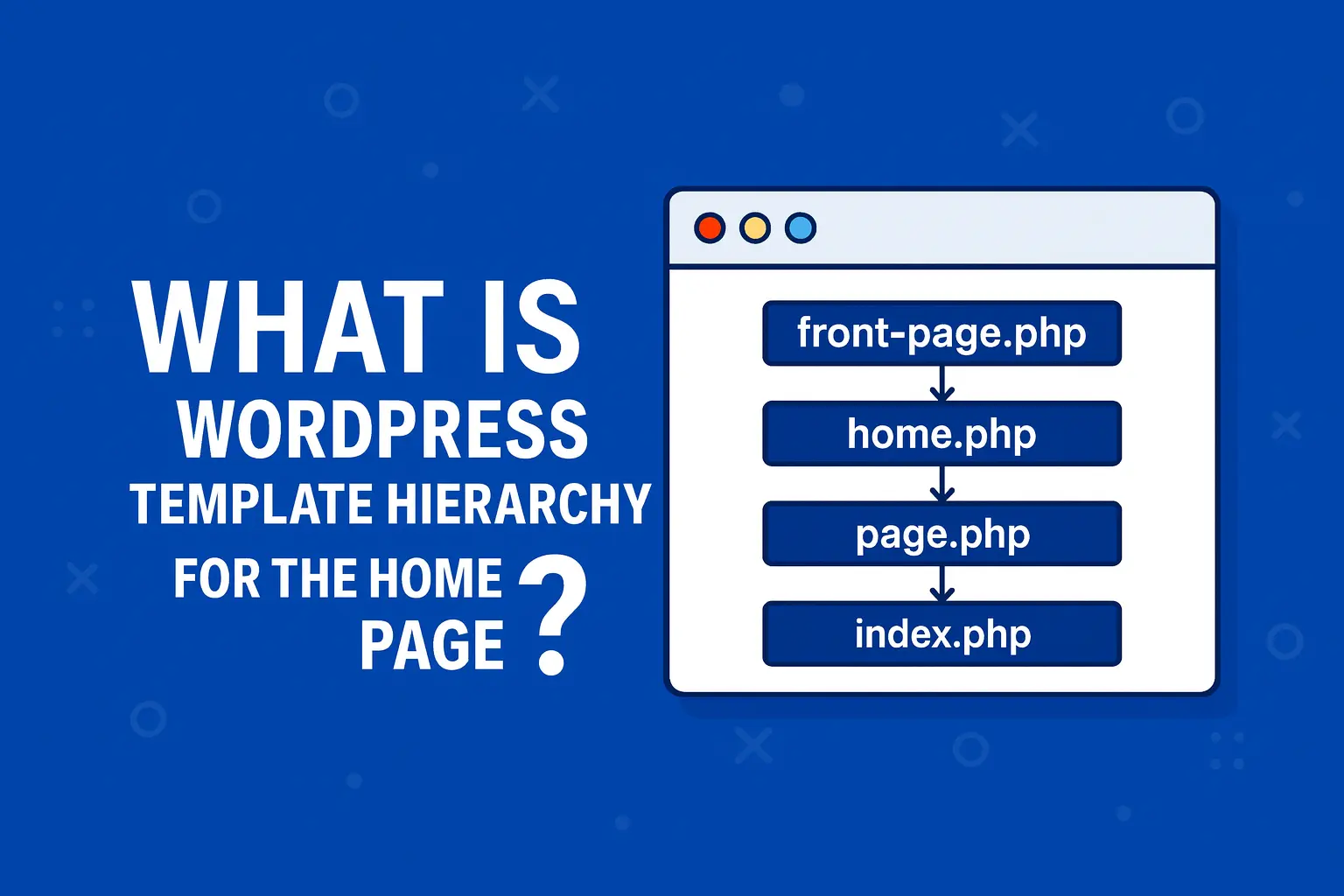
WordPress Template Hierarchy for the Home Page
On WordPress sites, the home page is not always the blog, and the blog is not always the front page. If you are building a custom theme for an Australian business, it is critical to know which file actually renders the very first page users see.
Table of Contents
- How WordPress decides which template to use
- front-page.php – the true front door
- home.php – the blog posts index
- page.php – regular static pages (and sometimes the front page)
- index.php – the final fallback
- Practical scenarios for real projects
1. How WordPress decides which template to use
There are two key settings under Settings → Reading:
- Your homepage displays:
- Your latest posts – the front page is the blog.
- A static page – one page is the front page, another is the posts page.
From there, WordPress follows this priority for the site front page:
- front-page.php
- home.php (if the front page is set to latest posts)
- page.php (if the front page is a static page)
- index.php (fallback for everything)
The key idea: front-page.php always wins for the front page if it exists.
2. front-page.php – the true front door
front-page.php is used for the URL that is set as the Front page of the site – whether it is showing latest posts or a static page. If this file exists in your theme, WordPress will use it for the root URL (for example, https://example.com/).
- If Homepage displays = Your latest posts and
front-page.phpexists, the blog will be rendered throughfront-page.php. - If Homepage displays = A static page, that chosen page will still be rendered through
front-page.php, notpage-{slug}.phporpage.php.
Use front-page.php when you want a fully custom marketing-style home page for your Australian clients, separate from how normal pages look.
3. home.php – the blog posts index
home.php is not the site front page by definition. It is the template for the posts index – the list of blog posts.
| Setting | URL using home.php |
|---|---|
| Homepage displays: Your latest posts | Front page (/) uses home.php if there is no front-page.php. |
| Homepage displays: A static page | The Posts page (for example, /blog/) uses home.php. |
If you want a classic blog listing at /blog/ while the actual home page is a separate landing page, you:
- Create a page called “Blog”.
- Set it as Posts page in Settings → Reading.
- Create
home.phpto control the blog index layout.
4. page.php – regular static pages (and sometimes the front page)
page.php is the default template for all normal pages (About, Services, Contact, etc.). It also comes into play for the front page when you are using a static page and there is no front-page.php.
For example:
- You set “Home” as the static front page.
- Your theme has
page.phpbut nofront-page.php. - The URL
/will be rendered usingpage.php(or a more specificpage-home.php/page-{ID}.phpif present).
This is often enough for smaller Australian sites where the home page design is similar to other pages, just with different content blocks.
5. index.php – the final fallback
index.php is the base template. Every valid theme must have at least this file. If WordPress cannot find a more specific template, it will fall back to index.php.
For the front page, index.php is used only when:
- There is no
front-page.php, and - No relevant
home.phporpage.phpmatches the context.
In practice, if you see WordPress showing a very generic layout on the front page, it probably means you are hitting index.php.
6. Practical scenarios for real projects
Here are a couple of common setups you will hit when building sites for Australian clients:
Scenario A: Marketing home page + separate blog
- Create
front-page.phpwith a custom design (hero, service blocks, local case studies). - Set Homepage displays = A static page and pick “Home”.
- Create a “Blog” page and set it as Posts page.
- Create
home.phpto render the blog index at/blog/.
Scenario B: Simple site where home page is just the blog
- Set Homepage displays = Your latest posts.
- Create
home.phpto control the blog layout. - Only add
front-page.phpif you later want a separate landing-style home page.
Once you understand how front-page.php, home.php, page.php and index.php work together, debugging “why is WordPress loading the wrong template?” becomes much faster – and your home page behaves exactly how you and your clients expect.